
Planning what to print for a trade show starts with a display that tells people what you do, a handout worth keeping and a simple way to follow up afterwards. The exact mix depends on the purpose of the stand. A product launch needs different printed information from an exhibition where the main aim is to arrange demonstrations or make contacts.
Plan the print alongside your stand layout and event schedule. This helps you spot jobs you can combine, such as a flyer that explains the offer and gives visitors a booking link. It also shows where separate pieces work better, especially when the message needs to be read from the aisle.
What Printed Materials Do You Need for a Trade Show?
Agree what you want a visitor to do after seeing the stand. If the goal is to book a demonstration, make that action visible and give staff a short takeaway with the booking route. If you are launching a product, a specification sheet can carry details buyers will want to compare later. For a membership organisation, an events card or joining guide may be more useful than a broad company brochure.
Give each item a place in the visit. The main display helps visitors decide whether to stop. A small sign on a counter can answer a question while staff are busy, such as when the next demonstration starts. A handout can summarise what the visitor has discussed. A contact card works for someone who has spoken to a named member of the team and wants to get back in touch.
Walk through the stand plan with the people staffing it. Decide which items visitors may take and which the team should hand out during a conversation. If you have different audiences, such as distributors and end users, identify the questions each group asks. A shared overview and two small inserts can be easier to manage than two complete brochures. Give the inserts clear titles so staff can select the right sheet quickly, then check that anyone reading it away from the stand has enough context to understand what it covers.
How Should You Choose Banners and Displays for an Exhibition Stand?
Take the stand dimensions from the organiser or stand contractor. Check the usable wall height and width, which sides are open, and where counters, monitors or neighbouring stands might block the view. If a shell scheme already has panels, ask how graphics may be fitted. This exhibitor manual example shows the kind of fixing restrictions organisers may specify. Use the manual for your own event. For a freestanding display, allow for its base and for enough floor space to set it up without getting in the way of visitors.
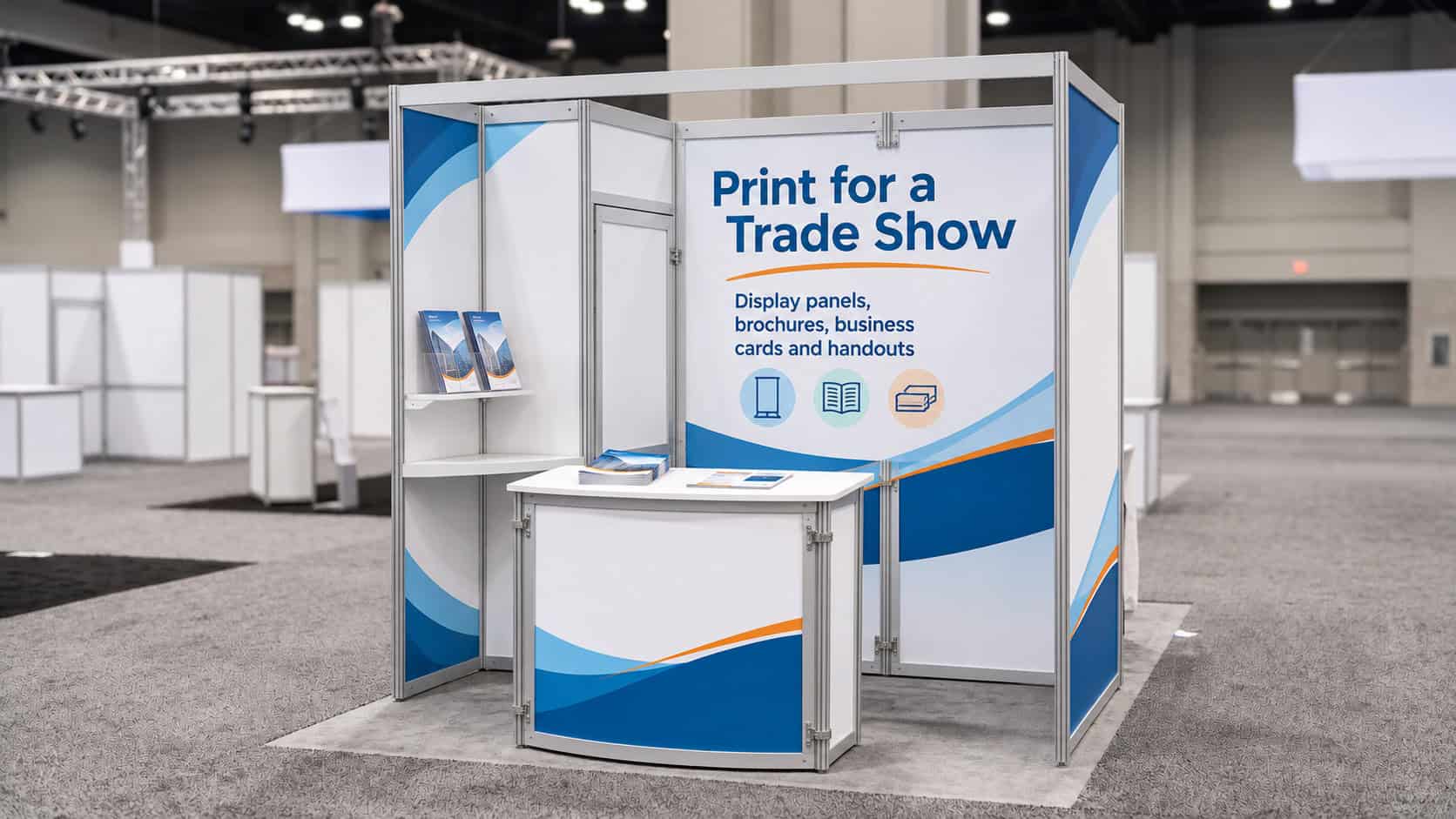
Put the core message where it can be seen from the approach. If there are two main directions of travel, use a floor plan to see whether one banner can serve both. Hold a printout of the design over a sketch or photograph of the stand. A demonstration table can hide the lower half of a prominent display, taking contact information or an important line of copy out of view.
When comparing banner printing options, confirm whether the graphic and the stand hardware are part of the same order. If you intend to reuse hardware, send the make, model or template instead of relying on an approximate width. Work out which parts of your design can be used again. A generic message can stay on a display between events, with a removable sign or separate printed item carrying the show dates and offers. That makes later changes easier, particularly if a sponsor or exhibition theme only applies this year.
Which Printed Handouts Are Useful for Exhibition Visitors?
A useful leaflet answers a question people will still have when they get home. Give it a recognisable title, enough detail to make sense away from the stand and one clear next step. A page of product information might include model names and an enquiry route. A service flyer might explain who the service is for and what information to bring to an initial conversation. Use flyer printing for a handout where the message fits comfortably on a short piece.
Consider what the visitor can carry. People may already have a bag full of catalogues. A compact handout can be convenient, while a slightly larger sheet may be justified if the detail is important. Fold a rough mock-up and see whether the reader can find the contact information without opening every panel. If the event brings repeat customers, an insert about the new product may do more work than a full reprint of familiar material.
Leave enough time to test digital routes on the printed piece. If you add a QR code, print it at the intended size and scan it using a phone that is signed out of your business accounts. Check what happens after it opens. A form that asks for a long list of details can be awkward in a busy hall. Include a short written address or other contact route so visitors can follow up later.
How Can You Plan Your Exhibition Print Requirements Before the Event?
Work back from the date the materials need to be in your hands or at the venue. Build in the organiser’s delivery window, transport and packing, time for the supplier to produce the job and time for your team to approve the final artwork. A booking confirmation may name an event date but give an earlier deadline for consignments or specify where goods can be accepted. Check these instructions before you use the venue as a delivery address.
Use a shared print schedule to track finished size, quantity, artwork owner, approver and destination for each item. Estimate quantities from the conversations you expect and how you will distribute the materials. A sheet given after each demonstration needs a different calculation from leaflets available to passers-by. Include some allowance for visitors who return with colleagues, and decide who can authorise a replenishment if stock runs low.
Set approval deadlines according to how quickly information changes. The main stand graphic may be ready early, while a product price list might need a later sign-off. Keep those jobs separate if their deadlines differ. If you are briefing King Print on several items, give the required completion date for each one and flag any that need to reach the stand first. Confirm who will accept and check the delivery before it is loaded for the event.
How Can You Avoid Common Exhibition Printing Mistakes?
Many exhibition problems start with a difference between the approved design and the space where it will be used. Check the orientation of the first panel people see and where the display will sit relative to the aisle. Confirm whether the organiser has specified anything about materials, fittings or stand layout. A quick rehearsal can reveal that only half a handout fits in the stand’s literature holder or that the contact line sits behind the merchandise.
Review all printed pieces side by side before approval. It’s easy to change a stand number or website link in one file and leave the old version in another. Ask one person to cross-check dates, product names, prices, contact details and any sponsor requirements across the batch. Print the smallest item at finished size before approving. Tiny text often looks reasonable in an enlarged PDF on a laptop.
Label packages by stand area or use, with quantities on the outside. A clearly marked box of setup signs is easier to find than one mixed with every leaflet and spare cable. On arrival, run through the visitor journey from the aisle to the point of follow-up. Check that the main message is visible, the team knows which materials to give out and the next step works. After the show, note what ran out or stayed in its box to improve the quantities and content for the next event.